
Daily Rewards, Play Rewards and Claim Requirements
Find Daily and Gifts, claim available rewards, check the seven-day schedule and playtime cards, and learn the separate JOIN & LIKE requirements.

Daily Rewards offers a seven-day schedule of cash, Gems and character rewards. Gifts opens Play Rewards, where staying in the current server unlocks timed rewards, including cash and guard tickets.
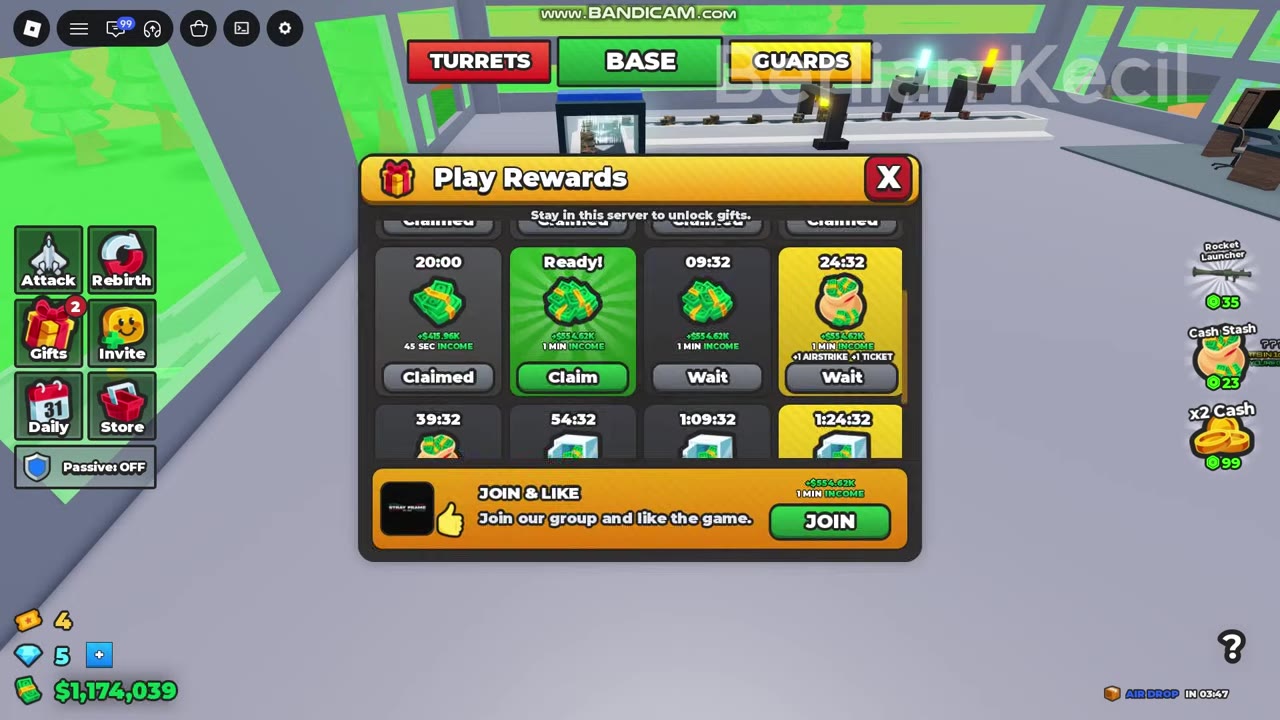
Open Daily on the left and select CLAIM beneath an available day. For playtime gifts, open Gifts and select Claim on a card marked Ready!; Wait means it is still locked, and Claimed means you already collected it. JOIN & LIKE is a separate reward at the bottom of Play Rewards.
Claim Daily Rewards and Check the Next Day
- Select Daily from the left menu to open Daily Rewards.
- Find the available day and select CLAIM beneath it.
- Check the reward notification and your cash and Gems balances.
- Check the next day's card for its remaining countdown.
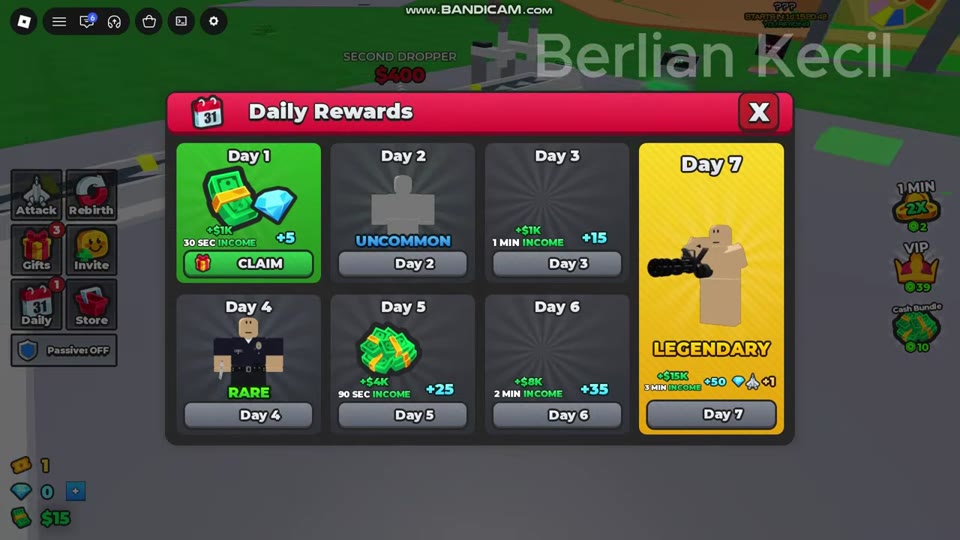
For example, claiming Day 1 from the panel labeled $1K / 30 SEC INCOME awarded $1,000 and 5 Gems.
| Daily card display | Meaning | What to do |
|---|---|---|
| CLAIM | The reward is available. | Select it to collect the reward. |
| CLAIMED | You already collected that day's reward. | Check the next day. |
| Countdown | That day is still locked. | Wait for the displayed time to finish. |
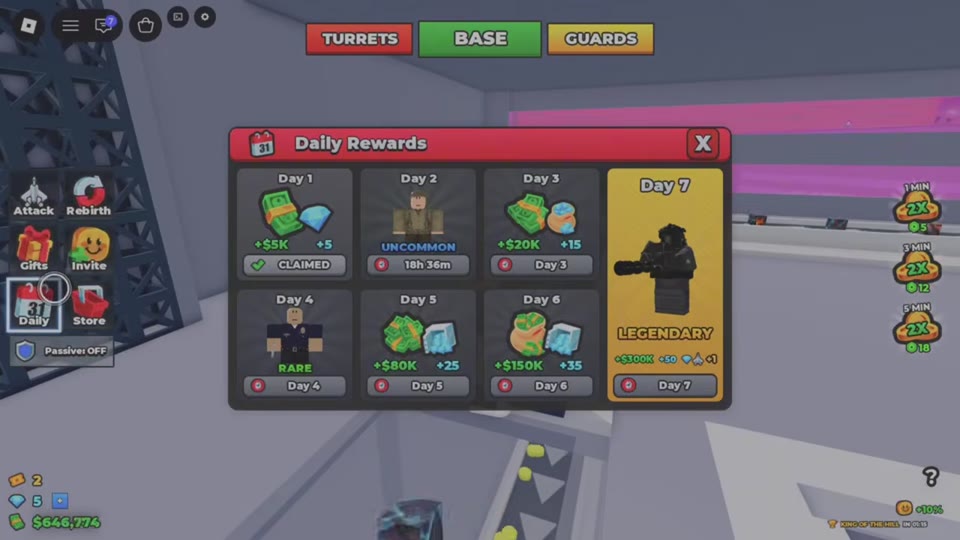
A Day 2 card showing 18h 36m means that much time remains on its countdown; it is not the full waiting period for every daily reward.
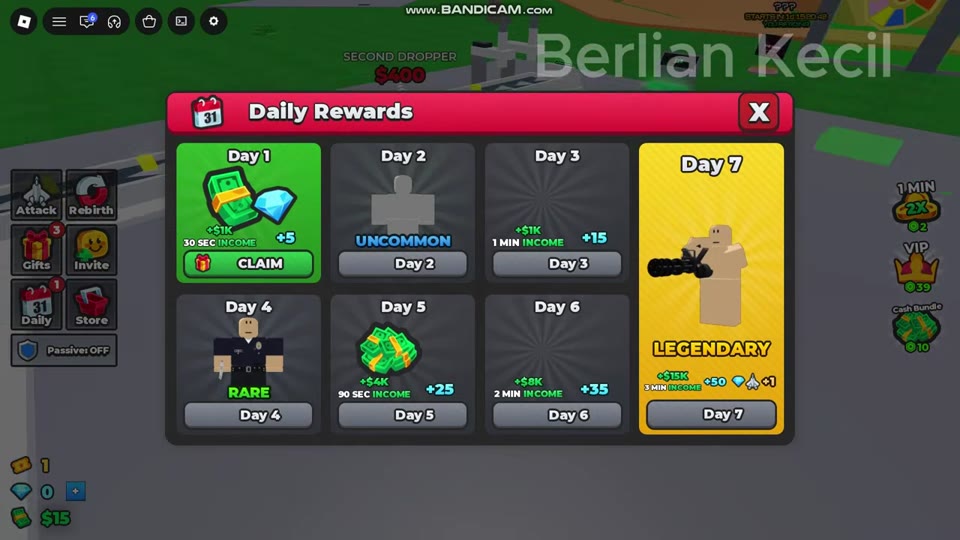 Claim the Day 1 Daily Reward▶ Watch demonstration
Seven-Day Reward Schedule
Use the day entries to check cash, Gems and character rarity. Match the cash details to your in-game panel: one display starts with $1K on Day 1 and includes income-duration labels; the other starts with $5K on Day 1. These are separate reward displays, not amounts to add together.
Keep labels such as 30 SEC INCOME and 1 MIN INCOME attached to their cash rewards. They describe the reward's income duration, not the countdown until that day unlocks.
The character cards use UNCOMMON, RARE and LEGENDARY rarity labels. Day 7 also displays a separate +1 icon reward alongside its other contents.
Open Gifts and Claim Play Rewards
Gifts is the left-menu entry for Play Rewards. Stay in the current server to unlock its timed gifts.
- Select Gifts.
- Find a card showing Ready! with a Claim button.
- Select Claim.
- Read the PLAY REWARD notification for the payout and check that the card now shows Claimed.
| Play Rewards display | Meaning | What to do |
|---|---|---|
| Wait with a countdown | The gift has not unlocked yet. | Keep playing in the current server. |
| Ready! with Claim | The gift is available. | Select Claim. |
| Claimed | You already collected the gift. | Check another card. |
If you are short on construction cash, check Gifts before waiting for more production income. In one roof-building example, the player claimed the ready 30-minute reward labeled 1 MIN INCOME, received $554,618 and one guard ticket, then returned to buy ROOF TRUSSES. That cash amount belongs to this particular claim.
Use the factory floors and roof guide for the construction sequence, or the guard recruitment guide for using guard tickets.
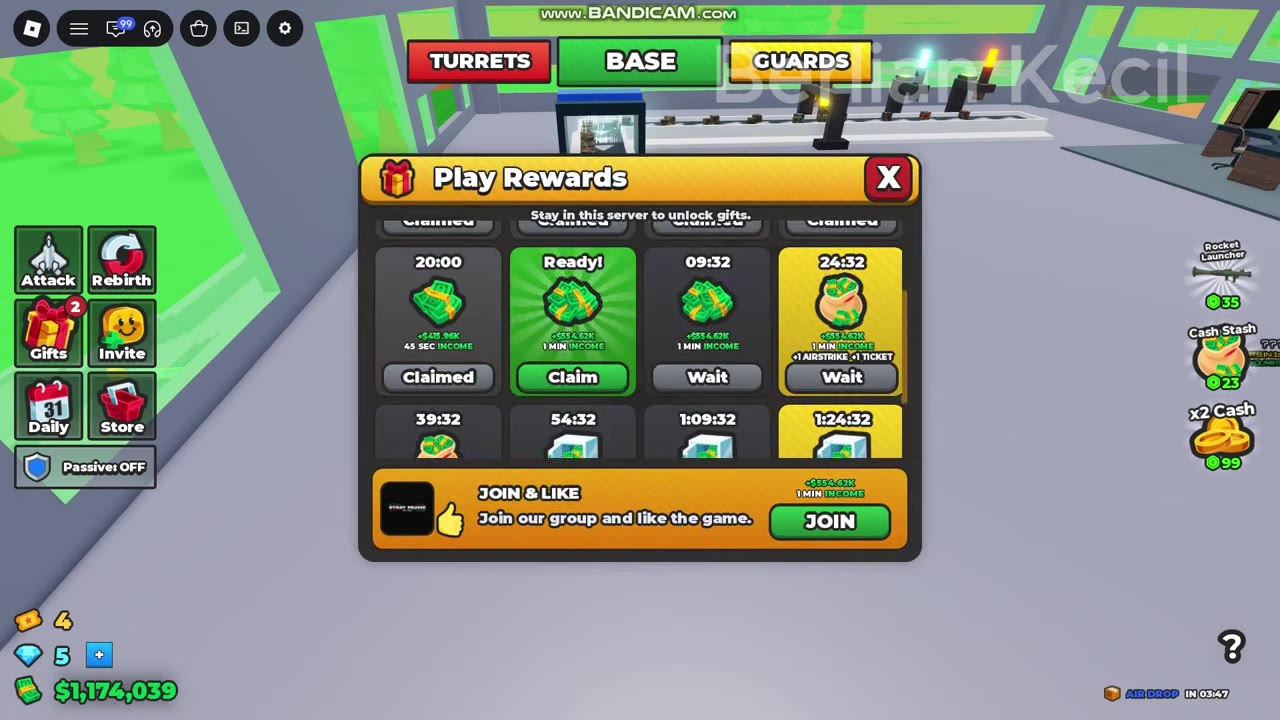
 Claim a Play Reward to Fund Roof Trusses▶ Watch demonstration
Playtime Thresholds and Reward Cards
The reward entries cover the eight-card cash display and a separate 30-minute income-duration reward. Use the conditions on each entry to match it to your panel.
For the eight-card cash display, the first three thresholds are 30 seconds, 2 minutes and 5 minutes. For later cards, check the countdown or Ready! status in your game. The final cash card also includes +1 AIRSTRIKE and +1 TICKET.
On the income-duration display, distinguish the time needed to unlock the card from the income amount it awards: the 30-minute card carries a 1 MIN INCOME reward label. Those times serve different purposes.
JOIN & LIKE Reward Requirements
JOIN & LIKE is a separate section at the bottom of Play Rewards. Its requirements are to join the game's group and like the game; waiting for a timed gift does not fulfill those conditions.
- Open Gifts and locate JOIN & LIKE.
- Use JOIN, when shown, as the entry to join the game's group.
- Like the game on its Roblox page.
- Check the reward section and notification. CLAIMED marks a collected reward.
| Reward display | Reward and status |
|---|---|
| Cash-amount panel | $35,000; completed examples show CLAIMED and a payout notification. |
| Income-duration panel | 1 MIN INCOME, with a JOIN button before completion. |
Use the reward shown in your panel; the $35,000 example is not a fixed value for every 1 MIN INCOME reward.
Welcome Badge
The game's listed welcome badge is Welcome to 2 Player Raid Tycoon, marked as enabled. Open its official Roblox badge page to view the badge.