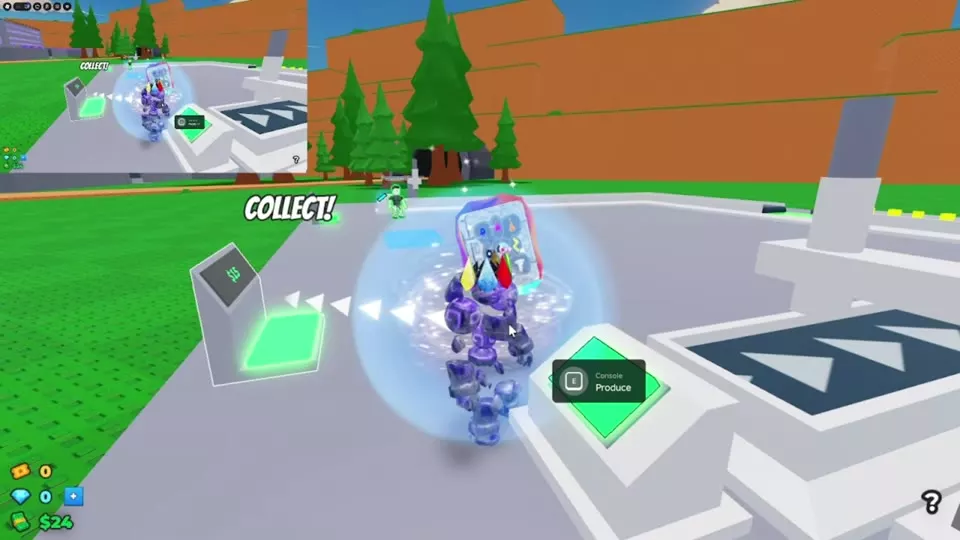
Start your factory in 2 Player Raid Tycoon by claiming a side, producing cash, and buying your first upgrades. Here’s how to get your production line running and protect yourself while you build.
Quick Answer Overview
Walk through an available factory side’s claim entrance, build the free Dropper, and use the Console to produce. Step on the green collection pad, buy an Automatic Dropper, and build early walls. Collect the free Pistol for defense. To return to base, select BASE and stay still until the countdown finishes; if IN COMBAT replaces the button, wait for BASE to return.
Claim Your Side and Start Producing
Find an available factory entrance marked WALK IN TO CLAIM THIS SIDE and walk through it.
Follow the floor arrows to PLACE DROPPER — FREE and step on the pad to build your starting Dropper and conveyor.
Approach the Console at the production line and use Produce repeatedly. On desktop, press E or click the green button indicated by CLICK! On mobile, use TAP.
Let the blocks travel along the conveyor, then collect the income at the green pad.
Collect Cash and Add Automatic Production
The Console produces blocks; the green COLLECT! pad transfers accumulated income into your spendable cash balance. Visit the pad as your line produces so you can afford purchases.
Step on the Automatic Dropper pad when you have enough cash. Opening prices include $30 and $70, so use the price displayed on your pad. On the $30 opening route, buying it reveals a Second Dropper pad for $400. Buy that next to add another production device. You can still use the original Console to produce manually after buying the Automatic Dropper.
Build walls early to reduce exposure to distant firing angles. The initial BUILD THE WALLS pad is beside the cash collector, at the edge of the factory floor, and costs $1,000. The resulting walls have an open doorway, so continue improving your defenses as you expand.
For a starting weapon, step on the yellow PISTOL FREE pad, enter the white glowing giver ring, and select the Pistol from your hotbar.
To focus on building, turn on Passive Mode with the shield button in the left-side controls. Passive prevents fighting, but it does not protect your factory’s cash from theft. See base defense and Passive Mode for more ways to protect the factory.
Return to Base and Find the Main Menus
To teleport home, select BASE at the top of the screen. When DON'T MOVE appears, stay still until the BASE IN countdown finishes. If you move, the teleport is interrupted; select BASE again and remain still. If the button area says IN COMBAT, wait for the normal BASE button to become available before trying again.
Control
What it opens or does
GUARDS
Opens My Guards; use Get Guards to find recruitment.
TURRETS
Opens the turret controls.
Gifts
Opens Play Rewards.
Attack
Opens attack options and target selection.
Settings
Includes the Titles and Tags menu.
The leaderboards track MOST KILLS, TIME PLAYED, MOST MONEY, and MOST REBIRTHS. The game supports desktop, mobile, console, and tablet players.
Choose Your Next Goal
Build with a friend: Join the same server and claim available sides of the same factory. See how to play with a friend for side ownership and shared construction.