LAUNCH
Reward
Early perks
Cash reward scales with player level

Last updated:
2 Player Raid Tycoon is a Roblox co-op game about building a factory, defending your base and raiding rival players. Use this wiki to find weapon unlocks, guard stats, turret requirements, rebirth details, boss guides and codes.
Learn how to claim a factory side, produce cash and build your first defenses.
Find floor expansions, facility locations, construction prices and their uses.
Look up droppers, conveyor upgrades, machines and treadmill requirements.
Compare earning routes and understand collection, Auto Collect and offline income.
Find gun and shield prices, rebirth requirements and collection locations.
Breach enemy entrances, crack Safes and bring stolen cash home.
Plan walls and doors, respond to power outages and understand Passive Mode.
Check guard rarities, individual recruitment chances, stats and Triangle acquisition.
Compare turret models, unlock requirements and handling for different targets.
Check target selection, launch costs, facility requirements and revenge options.
Check reset requirements, retained progress, income bonuses and equipment milestones.
Find daily gifts, play-time rewards and referrals, with guides to Gems, spins and rooftop supplies.
Find the objectives for Air Drops, King of the Hill, Oddball and Double Cash.
Identify Cube and Verity and find their fight mechanics and event objective guides.
Compare permanent benefits, equipment bundles, resource packs and temporary boosts.
15 codes reported active.
LAUNCHEarly perks
Cash reward scales with player level
TY75005.94k Cash, 25 Gems, and 2x Cash for 3 minutes
Complete the short tutorial
Browse all listed codes, check rewards and requirements, and follow the redemption guide.
Claim a factory side. Walk through an entrance marked WALK IN TO CLAIM THIS SIDE. Two players share a factory by claiming separate sides; you can begin production before your partner joins.
Build the free Dropper and produce. Step on PLACE DROPPER — FREE, then repeatedly use Produce at the Console to send blocks along the conveyor. Follow the displayed E, CLICK! or TAP prompt.
Collect spendable cash. Step on the separate green COLLECT! pad beneath the cash display. Stored production income must be collected before you can spend it.
Add automatic production. Buy Automatic Dropper when you can afford its displayed price. The Console remains usable afterward. Automatic production still requires collection-pad visits until Auto Collect is enabled.
Build basic protection. Save $1,000 and step on BUILD THE WALLS to enclose your production area.
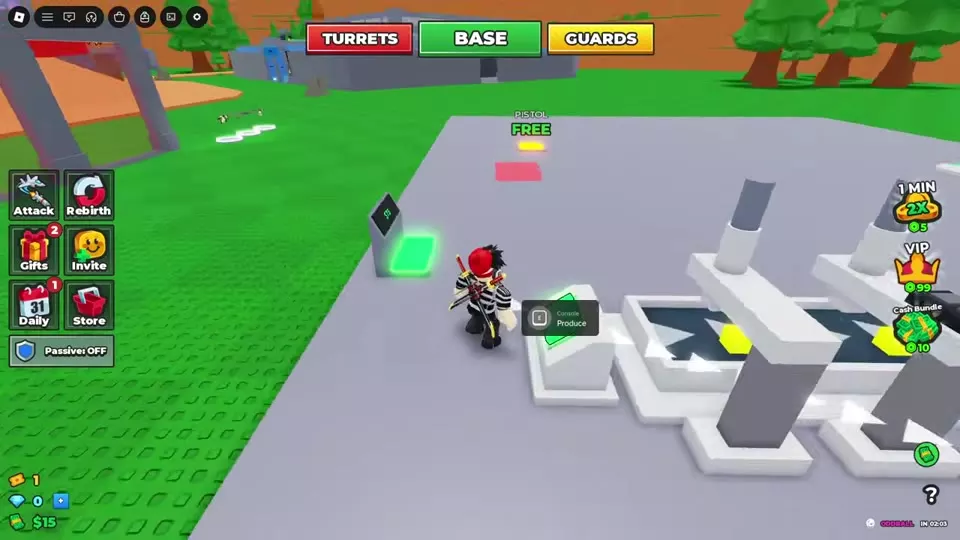
To respawn with owned guns after ordinary deaths, save them in the Loadout Cabinet's CARRYING slots.
Disable the entrance power. Shoot the power device marked with a warning symbol and health bar, then enter during the power-down window. Gate Power and Laser Power have separate countdowns; watch both before moving through the entrance.
Crack the Safe and take the bag. Find the gray Safe marked by a blue shield beside the ground-floor conveyors. If it is closed, hold Crack the Safe until the progress ring finishes. Move onto the cash pallet inside to collect the loot. A black bag and CARRYING LOOT confirm pickup; the delivery reward has not been credited yet.
Bring the loot to your own Safe. Follow the yellow arrows home and move right up to your Safe's door beside the conveyors. Reaching the nearby green floor area alone may leave you carrying the bag. Bag delivered, the disappearing bag and the return to BASE confirm delivery.
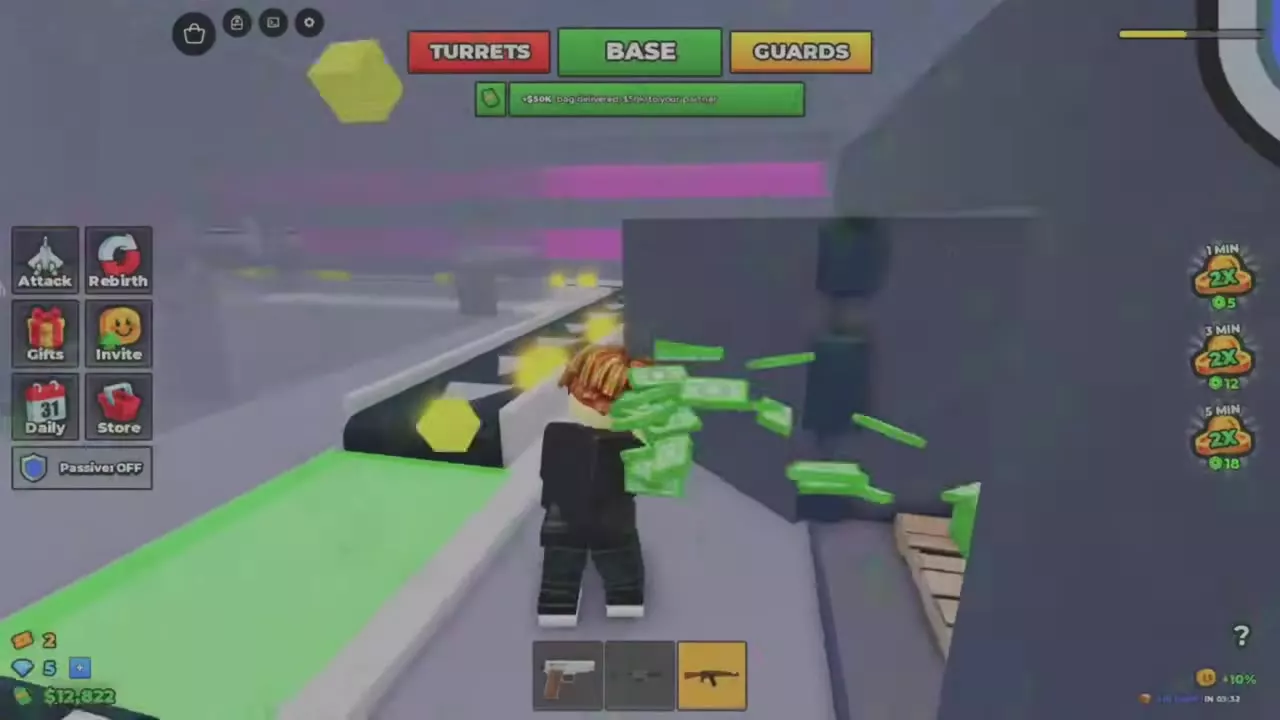
Read the event name and countdown on the HUD: IN means the event is upcoming; LEFT shows how much time remains in the active event. Start and finish banners mark the transitions.
| Name | Objective | Key cue |
|---|---|---|
| Air Drops | Find and open supply crates
| Yellow landing beam and floating crate icon
(Outdoor supply drop)
|
| King of the Hill | Contest the central flag point
| Raised stone platform with steps and a circular flagpole base
|
| Oddball | Hold the ball for your team when the timer ends
| CARRYING ODDBALL and the SURVIVE countdown
(While carrying the ball)
|
| Double Cash | Limited-time cash boost
| DOUBLE CASH IN countdown followed by the start banner
|
A Korblox invasion event; players are encouraged to bring a teammate.
A Mystery Admin Abuse event teasing new content.
Adds The Lab and progression through Rebirth 25, Ghost Rebirths, new equipment, base upgrades, and combat changes.
A script menu for automating tycoon actions and accessing combat and player-tracking features.
Join your friend's game through their Roblox menu, then claim the available side of their factory. Each player takes a separate side, so the other entrance must still be available. The beginner guide also covers inviting friends from inside the game.
No. Rebirth retains your guards, turrets and rebirth unlocks while resetting your side's cash, machines, floors and guns. Saving guns for ordinary respawns in the Loadout Cabinet is a separate feature. See the rebirth guide for requirements and reset details.