Weapons and Combat

2 Player Raid Tycoon Combat Tips and Weapon Choices

Last updated:

Choose your weapon around the distance, target, and equipment you own. Good positioning matters too: leave yourself a clear firing line, use your scope to track distant enemies, and read combat feedback before deciding whether to keep shooting or move.

Quick Answer Overview

Start with the free Pistol. Choose a scoped gun over the Shotgun for distant enemies, use the $8,000 SMG against enemy turrets, or bring an owned Rocket Launcher for players and defenses. Use the Grenade Launcher’s trajectory preview for arcing shots. Fire beside cover rather than into it, and remember that repeated-hit damage numbers can show a running total rather than one shot’s damage.

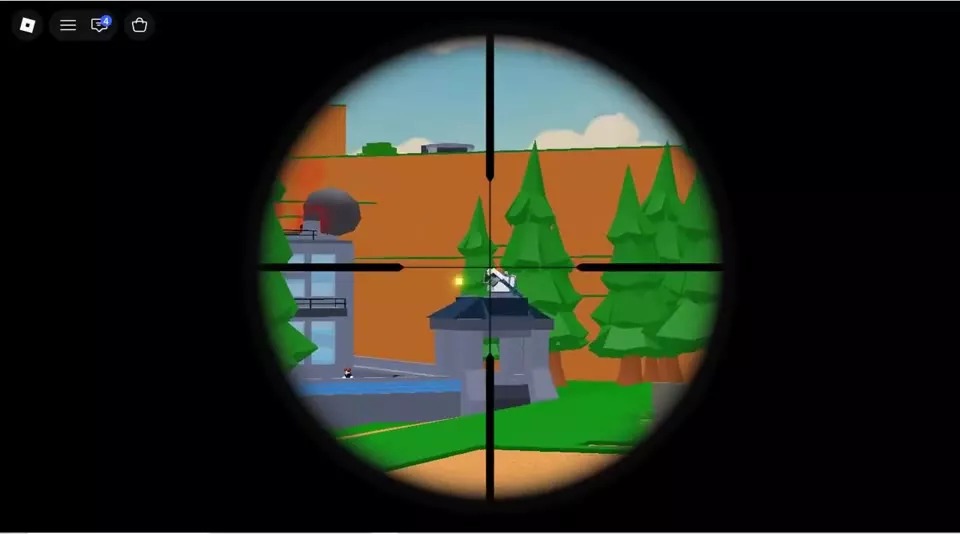
Scoped crosshair aimed at a distant enemy tower.

Weapon Picks for Specific Situations

Situation Recommended choice Why and how to use it
Starting without weapon funds Pistol It is free, so you can arm yourself immediately instead of waiting for a paid gun.
Fighting distant enemies on roofs or walkways A scoped gun, such as Sniper Magnification helps you locate and line up distant targets. Prefer this over the Shotgun for long-range exchanges. Sniper requires Rebirth 1.
Attacking an enemy tower turret with cash-bought equipment SMG — $8,000 cash It can destroy an enemy turret, but return fire can still kill you during the attack. Use cover and avoid staying exposed to finish the target.
Attacking players or turret positions with a launcher you own Rocket Launcher It can eliminate players and take down turrets. Line up the target carefully before firing.
Planning an arcing shot Grenade Launcher Its trajectory preview helps you judge the projected arc; see how to use the preview.

AK Rifle plus Sniper is a practical two-slot option if you own both guns: carry the rifle alongside a dedicated weapon for distant aiming. Two saved slots are available at Rebirth 1 or 2; Rebirth 3 opens the third slot for another owned gun. Use the Loadout Cabinet guide to save your combination for ordinary respawns.

For purchase locations, Game Pass access, and the full equipment list, use the weapon prices and unlocks directory. When attacking a factory for loot, follow the raid and delivery route to turn the attack into a completed delivery.
Aim Beside Cover, Not Into It

  1. Select your scoped weapon from the hotbar. On the touch-control layout, use the right-side aim button to enter the scope and the fire button to shoot.
  2. Put a wall, pillar, or thick tree trunk between you and incoming fire, then move beside its edge to line up your shot.
  3. If the scope fills with the nearby wall, leave the scope and move to an opening. Aim again once you have a clear firing line.
  4. Exit the scope between aiming attempts to check your surroundings and reposition.

Sniper shots do not pass through walls after the September 16, 2026 fix. A wall protecting you can also block your shot, so exposing a clear angle matters more than keeping the crosshair pointed toward an enemy behind it.

  • At the flag platform: use the low walls for cover and shoot through openings toward enemy upper walkways and entrances.
  • On a roof: use the elevated view to locate distant second-floor targets and tower guards. Height gives you visibility but still leaves you exposed to return fire.
  • In open ground: move toward nearby cover, such as a thick tree trunk, while adjusting your firing angle.
Scoped crosshair aimed at a distant enemy tower.

Use Thermal Contrast and Trajectory Previews

Thermal aiming

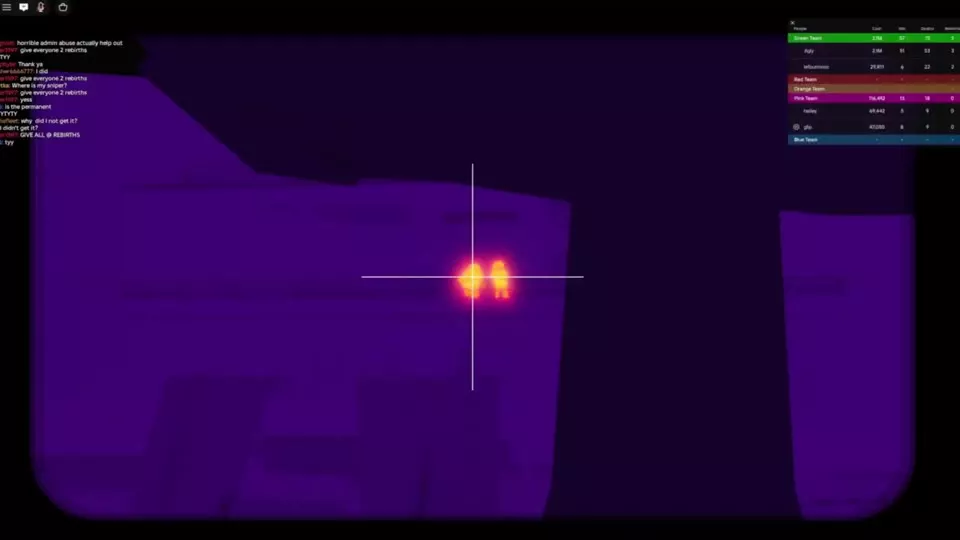
With equipment that provides thermal aiming, the environment appears purple while human-shaped targets stand out in bright yellow-orange. Center the crosshair on the highlighted target, then return to normal view when you need to check your position before aiming again.

A target inside a blue spherical shield can still appear highlighted. The thermal highlight helps you locate the target; it does not mean the target is vulnerable.

Grenade Launcher trajectory

The Grenade Launcher has a trajectory preview, added in the September 19, 2026 update. Equip it and adjust your aim while watching the projected arc before firing. Use that preview to line up the curved shot instead of aiming as though the projectile travels along a straight line.

Yellow-orange human-shaped targets stand out against a purple thermal view.

Read Ammo, Damage Totals and Kill Messages

Feedback What it means How to use it
Ammo counter Remaining rounds against the displayed capacity Watch the first number fall as you fire so you know how many rounds remain.
Damage number after repeated hits Damage can accumulate against the same target Read it as a running total, rather than treating the latest number as one bullet’s damage.
Distinct headshot feedback A hit registered as a headshot Use the feedback to distinguish head hits from other hits.
Red screen effects and falling health You are taking damage Break your exposed angle and move toward cover.
IN COMBAT in the BASE position The combat status has replaced the BASE button Do not plan an immediate escape around using that button while it is replaced.
YOU KILLED A confirmed elimination, including targets labeled GUARD Use this message to confirm the kill; an enemy leaving your scope is not confirmation.

For boss-specific attack patterns and movement, use the Cube boss guide or Verity boss guide.